Classiera Introduces Advanced Google Maps Features and OpenStreetMap Support
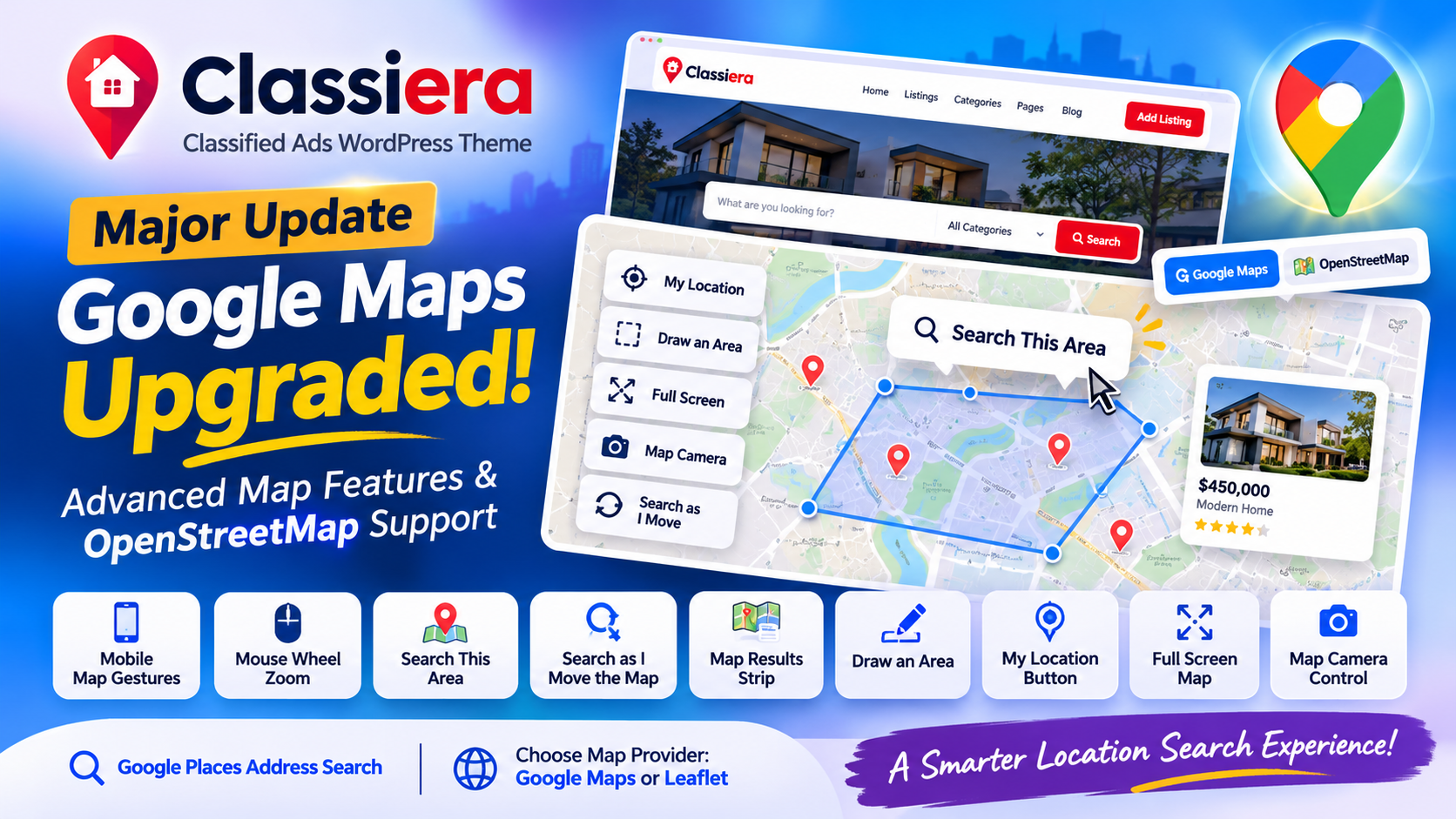
We’re excited to announce a significant improvement to Classiera – Classified Ads WordPress Theme. In our latest update, we’ve enhanced the map functionality with advanced Google Maps controls, improved mobile interactions, smarter location-based searching, and support for an additional map provider.
Location discovery is an essential part of modern classified websites. Whether visitors are searching for properties, vehicles, jobs, businesses, or local services, finding listings in the right location makes a real difference.
With these improvements, Classiera offers website owners more control over how maps work and how visitors interact with location-based listings.
Advanced Google Maps Functionality
We’ve introduced several new features to make map browsing more flexible and intuitive.
1. Improved Mobile Map Gestures
Mobile users can now benefit from configurable map interaction modes.
Classiera offers three options:
- Cooperative: Recommended mode. One-finger scrolling works normally on the page, while map movement and zooming require two-finger gestures.
- Greedy: Allows users to interact with the map using one-finger gestures.
- Disabled: Disables map gestures while retaining map controls and other available interactions.
These options help website owners choose the most suitable mobile browsing experience.
2. Desktop Mouse Wheel Zoom
Control how visitors zoom in and out of maps using their mouse wheel.
Available options include:
- Ctrl/Cmd + Wheel: Zoom only when the user holds the Ctrl or Cmd key.
- Always: Mouse wheel scrolling directly controls map zoom.
- Never: Disables mouse wheel zoom.
This provides greater control over the interaction between page scrolling and map navigation.
3. Search This Area
Visitors can search for classified ads within a specific visible map area.
When users move or zoom the map, they can search the selected geographical area to discover relevant listings.
4. Search as I Move the Map
Enable automatic listing updates while visitors move the map.
As the visible map area changes, search results can refresh automatically, allowing visitors to explore different locations without repeatedly clicking a search button.
5. Map Results Strip
Browse map search results through a convenient results strip, making it easier to explore available listings while navigating the map.
6. Draw an Area
Allow visitors to draw a custom geographical area directly on the map and search for listings within their selected region.
This is particularly useful for real estate portals and location-based classified marketplaces.
7. My Location Button
Visitors can quickly navigate the map to their current location using the My Location button. This functionality requires HTTPS and browser location permission.
8. Full Screen Map
Give visitors more room to explore locations with the dedicated full-screen map control.
9. Map Camera Control
Enable additional map navigation controls, including directional movement and zoom controls, for a more convenient browsing experience.
Google Places Address Search
We’ve also added Google Places address search functionality.
With address autocomplete suggestions, visitors can find and select locations more easily when searching for classified advertisements.
This makes location selection more convenient and improves the overall search experience.
Choose Your Preferred Map Provider
Another important improvement is the ability to choose between two different map providers.
Google Maps
Continue using Google Maps with its advanced map functionality, customization options, and Google Places integration.
Leaflet (OpenStreetMap)
Classiera now also supports Leaflet powered by OpenStreetMap, giving website owners an alternative mapping solution.
This provides additional flexibility when choosing how maps are displayed across the website.
More Control Through Classiera Theme Options
All these improvements are integrated into the Classiera theme options panel.
Website administrators can configure map behavior, mobile gestures, desktop zoom, search interactions, map controls, map provider selection, and other available settings without manually modifying theme files.
For Google Maps functionality, administrators can configure their Google API key and relevant Google services.
Built for Modern Classified Websites
These improvements make Classiera an even more flexible solution for building location-based marketplaces.
Some practical applications include:
- Real Estate: Search properties by geographical area and explore nearby listings.
- Automotive: Discover cars and vehicles available in different locations.
- Jobs: Browse job opportunities based on location.
- Local Services: Find service providers within a selected geographical area.
- General Classifieds: Explore products and advertisements around specific locations.
Continuous Improvements by Joinwebs
At Joinwebs, we believe a successful WordPress theme is not just about its initial release. It’s about continuous development, listening to customer feedback, and delivering meaningful improvements.
This Google Maps upgrade is another step toward making Classiera a more powerful and flexible classified ads solution.
Ready to explore Classiera?
Discover all the features and demos:
Get Classiera on ThemeForest:
https://demo.joinwebs.com/classiera/
https://themeforest.net/item/classiera-classified-ads-wordpress-theme
Classiera by Joinwebs. Built for powerful classified marketplaces.